

Kami Hair Tools - Expressions - Customization
Adding favorite expressions or modify existing ones by write the edited expressions to the expressions.txt file.
Customization Process
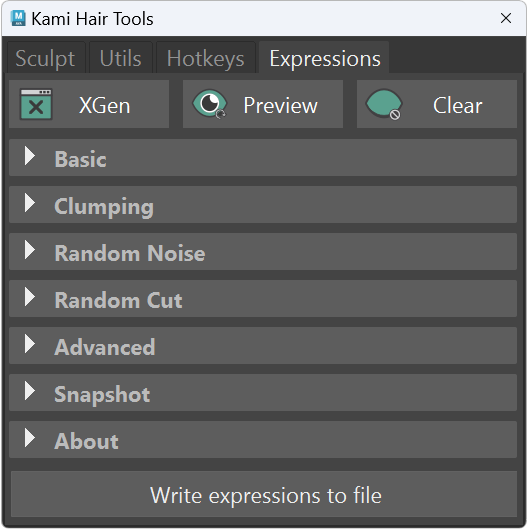
Changes made in the text editor in Kami Expression window will be saved by clicking the Write Expressions to File button.
Further customization can be competed by editing the text file located at:
C:\Users\Maya\Documents\maya\[version]\scripts\kami\resources\expressions.txtRelaunch Kami to update new changes.
(Optional: Click the refresh icon and evoke the Write Expression to File button again to overwrite the expression to the original default.)
expressions.txt
ruby
# Random
rand(0.4, 0.5)


# Slider
$range=0.5;#0.1,1.0
$range


# Random Slider
$min=0.1;#0.00,1.00
$max=0.5;#0.00,1.00
rand($min, $max, $id)


# Clumping Mask
$percentage=95;#0,100
rand() < $percentage / 100.0 ? 1: 0


# Clumping Noise
rand(0.4, 0.7)


# Clumping Cut
$a=rand(0.0,0.2);
$a * $cLength


# Root Noise
1.5


# Flyaway Noise
rand(6, 10, $id)


# Stray Noise
$nonStrayValue=0.0000;#0.0,1.0
$strayValue=1.0000;#0.0,1.0
$percent=92.3100;#0.0,100.0
$stray=hash($id) <= $percent/100.0 ? $strayValue : $nonStrayValue;
$stray


# Random Cut
$cutMin=0.02;#0.00,1.00
$cutMax=0.1;#0.00,1.00
rand($cutMin, $cutMax) * $cLength


# Random ID
$min=0.5;#0.1,10.0
$max=0.5;#0.1,10.0
$mag=1.0;#1.0,10.0
rand($min,$max,$id)*$mag


# Random Noise
$seed=1;#0,10
$min=0.0047;#0.00,0.20
$max=0.5843;#0.20,10.00
$mag=rand($min,$max,$seed);
$strayMin=0.1000;#0.0,5.0
$strayMax=1.0000;#1.00,20.00
$strayNoise=rand($strayMin,$strayMax,8);
$noise=stray() ? $strayNoise : $mag;
$fitMax=3.2941;#0.00,20.00
fit($noise,0,1,0,$fitMax)


# Description Noise
$a=map('${DESC}/paintmaps/description_noise_map');#3dpaint,30.0
$b=float_noise();
$c=0.60802;#0.0,1.0;
$a*$b*$c